
Capturing high-quality images of the night sky is a challenging task. Reducing noise is crucial for achieving stunning astrophotography results.
You might be surprised to learn that using the lowest ISO setting doesn’t always result in the highest quality images. In fact, flexibility in ISO settings can significantly impact astrophotography noise reduction.
This article will guide you through the top astrophotography tips and techniques for minimizing noise. We’ll cover pre-capture and post-processing methods. These will help you take your astrophotography to the next level.
Understanding Noise in Astrophotography
To get great astrophotography shots, knowing about noise is key. Noise in astrophotography means random changes in pixel values. These changes can hide the details of your images, making them look grainy or speckled.
Types of Noise and Their Impact
There are a few main types of noise in astrophotography:
- Thermal Noise: This is caused by the camera’s sensor heat. It gets worse with longer exposures.
- Read Noise: It happens when the camera reads sensor data. It’s affected by the camera’s electronics and can hurt image quality.
- Light Pollution: While not strictly noise, it adds a glow that hides faint objects.
These noises can really mess up your photos. Thermal noise can make them grainy, and read noise can add speckles. Knowing about these can help you reduce their effects.
Causes of Noise in Astrophotography
Noise in astrophotography comes from several sources:
- Camera Settings: High ISOs, long exposures, and sensor temperature all increase noise.
- Environmental Factors: Light pollution, temperature, and camera temperature also play a role.
Understanding these causes lets you take steps to lower noise. For example, use lower ISOs, cool the camera, and shoot in less polluted areas.
Importance of Noise Reduction
Reducing noise in your astrophotography images greatly improves their quality and detail. This step is key in editing, as it reveals the fine details in your photos.
Good noise reduction can really boost your astrophotography image quality. It makes the image look better and keeps the small details that make astrophotography special.
Enhancing Image Quality
Noise reduction is a big plus for your astrophotography images. It makes them clearer, sharper, and more eye-catching. This is very important for capturing faint objects like distant galaxies or nebulae.
Using the best noise reduction tools for astrophotography is key. These tools help you reduce noise in specific parts of the image. This way, you can keep the details and texture of what you’re capturing.
Preserving Detail in Photos
Noise reduction also helps keep the detail in your astrophotography photos. It lets you see the small details, like the Moon’s texture or a nebula’s patterns.
To get the best results, mix astrophotography editing techniques with top-notch equipment. Use good optics and cameras, and software made for astrophotography noise reduction.
By following these tips and using the right tools, you can greatly enhance your astrophotography images. You’ll capture the night sky’s beauty in amazing detail.
Pre-Capture Techniques for Reduced Noise
To start, adjust your camera settings before taking a photo. This can greatly reduce noise in your images. You’ll get clearer and more detailed astrophotography.
Selecting the Right Camera Settings
Choosing the right camera settings is key for quality astrophotography. Set your camera to manual mode. This lets you control exposure, ISO, and focus. Knowing how to use these settings well is crucial for less noise.
- Use manual focus for sharp images of celestial objects.
- Adjust exposure compensation for the right brightness in your images.
- Try different white balance settings to capture the night sky’s colors accurately.
Optimal ISO Settings
ISO settings affect the noise in your astrophotography images. Lower ISOs mean less noise but might need longer exposures. Find a balance between ISO and exposure for your camera and conditions.
Tips for Optimal ISO:
- Begin with a low ISO (e.g., ISO 800 or lower) and adjust as needed.
- Choose a camera that performs well in low light for better results at lower ISOs.
- Bracket your shots for a range of exposures and combine them for the best results.
Utilizing Long Exposure
Long exposure is great for detailed astrophotography images. It lets more light in, revealing more of the night sky. But, longer exposures can introduce noise. So, balance exposure length with other settings.
- Use a sturdy tripod to prevent camera shake during long exposures.
- Enable long exposure noise reduction in your camera settings if available.
- Take multiple shots and stack them later to enhance detail and reduce noise.
Post-Processing Noise Reduction
Noise reduction in astrophotography is more than just removing grain. It’s about bringing out the details that make your images pop. Using the right post-processing techniques can greatly improve your astrophotography images.
Software Tools for Noise Reduction
There are many software options for reducing noise in your astrophotography images. Adobe Photoshop and StarStax are popular choices, offering advanced tools for noise reduction. Image-stacking software is also useful, allowing you to combine images to boost the signal-to-noise ratio.
Applying Noise Reduction Effects
When you apply noise reduction effects, finding the right balance is key. Start by using the software’s tools to reduce grain. Then, adjust the settings to keep important details sharp.
Balancing Noise and Detail
It’s a fine line between reducing noise and keeping details sharp. You must tweak the noise reduction settings carefully. Using layer masking and local adjustments can help you find this balance.
By learning how to reduce noise effectively and using the right software, you can make your astrophotography images look better. They will be more detailed and visually appealing.
Shooting Techniques to Minimize Noise
Shooting techniques are key to reducing noise in astrophotography. They help improve the quality of your images. By using the right methods, you can make your astrophotography clearer and more detailed.
Using a Sturdy Tripod
A sturdy tripod is crucial for sharp images. It keeps the camera stable, allowing for longer exposure times without blur. This is important for capturing the faint details of celestial objects.
When choosing a tripod, look for one that can handle heavy loads. It should have a smooth, stable base. A robust tripod head that allows for smooth movements is also important for tracking celestial objects.
Choosing the Right Time for Shooting
The timing of your astrophotography session is important. Optimal shooting times are when the sky is darkest and clearest. This is usually during the new moon phase or when the object is highest in the sky. Avoid high moonlight or objects near the horizon, as these can increase noise.
Also, consider the atmospheric conditions. Clear skies are best, but shooting through clouds or haze can affect quality. Planning your shoot based on weather forecasts can help avoid these issues.
Benefits of Dark Frames
Dark frames are images taken with the shutter closed. They record the thermal noise of the camera’s sensor. By capturing dark frames, you can subtract this noise from your actual images during post-processing, making them cleaner and less noisy.
To use dark frames effectively, take multiple dark frames at the same exposure and temperature as your light frames. This allows you to create a master dark frame for calibration, reducing noise significantly.
By using these shooting techniques, you can minimize noise and capture high-quality images. These images will showcase the beauty of the night sky.
Advanced Noise Reduction Techniques
To improve your astrophotography, try advanced noise reduction techniques. These methods can make your images clearer by reducing noise. This lets you see more detail and beauty in your photos.
Image Stacking for Noise Reduction
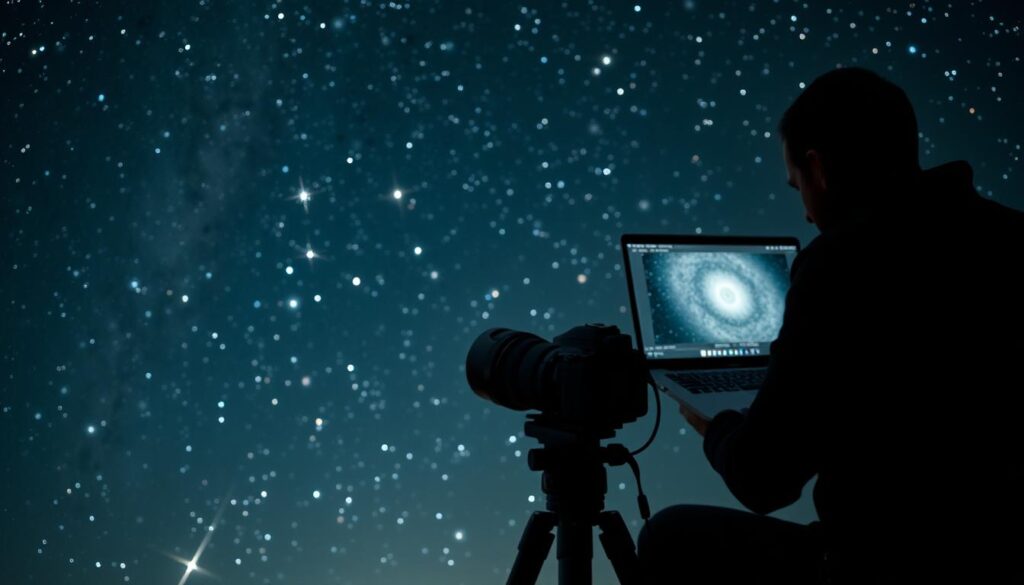
Image stacking is a great way to cut down on noise in astrophotography. By mixing several images of the same scene, you can get a cleaner, more detailed picture. Software like StarStax and Sequator are good for this because they’re easy to use and work well.
To stack images, take many pictures of the same scene. Make sure your camera doesn’t move, so a sturdy tripod is key. Then, use software to combine these images, making your final picture clearer.
Using Software Algorithms
Many software programs can help reduce noise in your astrophotography. Adobe Photoshop and StarTools have tools that can help. These tools find and smooth out noise, keeping your image’s details intact.
When using these tools, it’s important to find the right balance. Too much noise reduction can make your image lose detail and look unnatural.
Frequency Separation Technique
The frequency separation technique is another advanced method. It breaks your image into different frequency layers. This lets you target and reduce noise without losing detail. Adobe Photoshop supports this technique, making it useful for astrophotographers.
| Technique | Description | Software |
|---|---|---|
| Image Stacking | Combining multiple images to improve signal-to-noise ratio | StarStax, Sequator |
| Software Algorithms | Using algorithms to reduce noise while preserving detail | Adobe Photoshop, StarTools |
| Frequency Separation | Separating image into frequency layers to target noise | Adobe Photoshop |
Using these advanced techniques can greatly improve your astrophotography. Whether you stack images, use software algorithms, or try frequency separation, the goal is to find what works best for your images.
Understanding Signal-to-Noise Ratio
In astrophotography, getting clear images depends a lot on the signal-to-noise ratio. This ratio compares the signal, like light from stars, to the background noise. The noise can hide the details of the images.
What is Signal-to-Noise Ratio?
The signal-to-noise ratio is key in astrophotography. A high ratio means clearer images. But a low ratio can make images blurry.
Factors Affecting SNR: Many things can change the SNR. These include camera settings, how long you expose the camera, and the light around you.
How to Improve Your SNR
To better your SNR, use the right camera settings and techniques. Here are some tips:
- Choose the best ISO for your camera to balance signal and noise.
- Take longer exposures to get more signal, but watch out for more noise.
- Stack images to combine them and cut down on random noise.
- Subtract dark frames to remove sensor noise.
| Camera Setting | Effect on SNR | Outcome |
|---|---|---|
| Low ISO | Increases SNR | Clearer images with less noise |
| Long Exposure | Can increase SNR if signal is strong | More detailed images of celestial objects |
| Image Stacking | Improves SNR by averaging noise | Reduced noise, enhanced detail |
| Dark Frame Subtraction | Reduces noise | Improved image quality with less sensor noise |
By using these techniques, you can make your astrophotography images much better.
Calibrating Your Images
To get top-notch astrophotography, calibrating your images is key. Calibration removes noise and boosts your photo’s quality. It involves using special frames to fix and better your images.
Calibration Frames Explained
Calibration frames are vital in astrophotography post-processing. They fix issues like noise, vignetting, and uneven light. There are dark frames, flat frames, and bias frames, each with its own role.
Dark frames capture your camera’s thermal noise. By taking dark frames at the same temperature and time as your light frames, you can remove this noise. This makes your photos cleaner.
The Role of Flat Frames
Flat frames are key in calibration. They fix vignetting and uneven light in your images. Vignetting makes the edges darker than the center, often due to camera or optical issues.
To get flat frames, photograph a uniformly lit area, like a sky glow or light panel. The aim is to get a frame that shows your optical system’s uneven light. Using flat frames fixes these issues, making your image’s light more even.
Adding calibration frames to your astrophotography software greatly improves your image quality. This step is crucial for creating professional astrophotography that highlights the night sky’s beauty.
Environmental Considerations
When you take pictures of the stars, the environment matters a lot. It affects how clear and noise-free your photos will be. Where you take your photos is key to getting great shots.
It’s important to pick a spot with little light pollution. Choosing a location with minimal light pollution is crucial for capturing high-quality images of the night sky.
Choosing Locations Wisely
Look for places far from cities and streetlights for astrophotography. These spots are called dark-sky preserves or parks. Dark skies allow for better visibility of celestial objects, helping you get more detail in your photos.
- Research local dark-sky areas or national parks.
- Avoid locations with high levels of light pollution.
- Consider the weather and atmospheric conditions.
Effects of Light Pollution
Light pollution can ruin your astrophotography photos. It makes the sky look bright, making it hard to see stars and planets. This makes your photos less clear and less beautiful.
To fight light pollution, use astrophotography editing techniques later. These can make stars and planets stand out more, making your photos better.
By paying attention to the environment, you can improve your astrophotography. You’ll get amazing pictures of the night sky.
Utilizing Dithering
Dithering is a key technique in astrophotography that boosts image quality. It involves moving your telescope slightly between shots. This method reduces noise and enhances the overall quality of your images.
What is Dithering?
Dithering means making small, random movements of your telescope between shots. It’s great for capturing multiple exposures to stack later. Dithering averages out the noise, making it easier to remove unwanted artifacts in post-processing.
Benefits of Dithering in Astrophotography
The main advantage of dithering is the reduction of noise in your images. By changing the camera’s position slightly between shots, you can lessen hot pixels and other noise. For more on dithering, check out this resource on dithering in astrophotography.
Some key benefits of dithering include:
- Improved noise reduction
- Better image quality with less artifacts
- More detail in your astrophotography images
Adding dithering to your astrophotography workflow can greatly improve your image quality. Whether you use best noise reduction tools for astrophotography or advanced astrophotography software, dithering is a valuable technique.
Final Touches: Preparing Images for Presentation
Your astrophotography images aren’t complete until you’ve prepared them for sharing. This involves a few crucial steps. These steps ensure your images look their best on different platforms.
When sharing your work on social media, how you export your images matters a lot. Exporting images for social media means finding the right balance between file size and image quality. You want your images to load quickly but still look sharp and clear.
Exporting Images for Social Media
To export your images well for social media, keep these tips in mind:
- Use the sRGB color space, as it’s the most widely supported on social media platforms.
- Save your images in JPEG format, as it’s universally compatible and allows for adjustable compression levels.
- Adjust the resolution according to the platform’s requirements. For instance, Instagram and Facebook have different optimal resolutions.
Maintaining Quality During Compression
Compressing your images is necessary when sharing them online. But you can keep their quality by understanding compression. Lossy compression reduces file size by discarding some data, which can harm image quality if done too much.
To find a good balance, you can:
- Start with a high-quality image before compression.
- Experiment with different compression levels to find the optimal balance between file size and image quality.
- Use software that allows you to preview the effects of compression before saving.
By following these guidelines, you can make sure your astrophotography images are shown in the best light on social media. They will maintain their quality while being accessible to more people.
Best Practices for Noise-Free Astrophotography
To get great astrophotography shots, you need both skill and the right practices. These practices help cut down noise and make your photos better.
Equipment Maintenance
Keeping your gear in top shape is key for clear astrophotography. Make sure your camera’s sensor is clean and your software is updated. Also, check that your tripod is steady and level. This helps avoid noise from equipment problems or wrong settings.
Staying Up-to-Date
Learning new things and staying current is vital in astrophotography. Keep up with the latest in Noise Reduction Techniques for Astrophotography. Practice these new methods to get better at reducing astrophotography noise.
By sticking to these practices, you’ll be on your way to amazing, noise-free astrophotography. Your photos will show off the night sky’s beauty.