
Capturing stunning images of Jupiter needs the right tools and knowledge. With new tech in astrophotography, you can now take amazing pictures of the gas giant like a pro.
To begin, you’ll need the right gear. This includes a telescope and camera that can handle the task. Knowing the best settings for your gear is key for top-quality images.
After taking your pictures, processing is crucial. It helps bring out the details and make the image look great. By using the right techniques, you can create stunning pictures of Jupiter. These will show off its vibrant atmosphere and detailed features.
Understanding Jupiter’s Atmosphere and Features
To get great photos of Jupiter, knowing its atmosphere and features is key. Jupiter’s air is mostly hydrogen and helium. These gases make clouds and colors that are both complex and vibrant.
Overview of Jupiter’s Composition
Jupiter is a gas giant, with no solid surface. It’s mostly gases. The atmosphere has different bands, each with its own look and feel. Knowing these bands is important for astrophotography to get good pictures.
- The upper atmosphere is mostly hydrogen and helium.
- Cloud layers are made of ammonia, water, and sulfur.
- Strong winds make the vibrant banding patterns.
Key Features to Capture
When you’re taking pictures of Jupiter, there are important things to focus on. The planet’s bands, the Great Red Spot, and its moons are all great subjects. The right telescope and methods can help you see these details clearly.
Some key features to look for are:
- The Great Red Spot, a long-lasting storm.
- The cloud bands, made by strong winds.
- Jupiter’s moons, like Io, Europa, and Ganymede.
Importance of Timing for Imaging
The time you choose for your photos can really affect their quality. Jupiter’s atmosphere is always changing because of its fast rotation. Knowing when to take pictures is key for planetary photography.
Think about these things when planning your shoots:
- Jupiter’s opposition, when it’s closest to Earth.
- The planet’s rotation and how it changes what you see.
- Earth’s atmosphere, which can affect your photos.
Essential Gear for Imaging Jupiter
Imaging Jupiter is a rewarding experience, but it demands the right astrophotography gear. To capture high-quality images, you’ll need to understand the essential components. This includes the type of telescope, camera, and filters best for planetary imaging. For a comprehensive guide on planetary imaging, you can refer to planetary imaging basics.
Telescopes: Choosing the Right Model
The telescope is the foundation of your Jupiter imaging setup. When choosing a telescope, consider the aperture size. A larger aperture allows more light to enter, resulting in a clearer image. Reflector telescopes are often preferred for planetary imaging due to their ability to produce high-contrast images.
Cameras: Best Options for Planetary Imaging
For planetary imaging, you have the option between CMOS and CCD cameras. CMOS cameras are generally more affordable and offer faster frame rates. CCD cameras are known for their high sensitivity and low noise. The choice between the two depends on your specific needs and budget.
Filters: Enhancing Your Images
Filters play a crucial role in enhancing the quality of your Jupiter images. Color filters can help accentuate specific features, such as cloud bands or the Great Red Spot. Neutral density filters can reduce the intensity of Jupiter’s brightness, allowing for better detail capture.
By understanding the essential gear required for imaging Jupiter, you can significantly improve the quality of your captures. Whether it’s choosing the right telescope, camera, or filters, each component plays a vital role in the overall imaging process.
Recommended Telescope Brands for Jupiter Imaging
For detailed Jupiter images, picking the right telescope brand is key. The quality of your images depends on the telescope’s ability to show Jupiter’s details and colors.
Several brands are known for their quality in astrophotography. We’ll look at three top picks: Celestron, Meade Instruments, and Explore Scientific.
Celestron Options
Celestron is a respected name in astronomy, known for high-quality telescopes. Their Celestron NexStar series is a favorite for its advanced features and clear images.
Meade Instruments
Meade Instruments is a leading brand for Jupiter imaging. Their Meade LX850 telescopes are known for precision and detailed images.
Explore Scientific Choices
Explore Scientific offers telescopes for all needs and budgets. Their Explore Scientific ED series is known for quality optics and affordability. It’s a great option for Jupiter images without spending too much.
| Telescope Brand | Model | Key Features |
|---|---|---|
| Celestron | NexStar 8SE | Advanced GPS, high-resolution imaging |
| Meade Instruments | LX850 | Precision optics, advanced tracking system |
| Explore Scientific | ED102 FCD1 | High-quality ED optics, affordable |
When picking a telescope for Jupiter images, think about aperture size, optics quality, and mount type. Each brand has unique features that can improve your astrophotography.
Camera Options for Effective Jupiter Imaging
Choosing the right camera is key for great Jupiter photos. The best camera can make your images of Jupiter’s atmosphere and features stand out.
CMOS vs. CCD Cameras
The debate between CMOS and CCD cameras is ongoing in planetary imaging. CMOS cameras are great for fast shots and low noise, perfect for Jupiter’s dynamic scenes. CCD cameras, on the other hand, offer high sensitivity and quality, even in dim light.
Deciding between CMOS and CCD cameras depends on your needs. CMOS is good for fast shots in good seeing conditions. CCD is better for top-notch quality, even with more noise.
Best Resolutions for Planetary Photography
Camera resolution is crucial for detailed Jupiter shots. Higher resolutions mean more detail, but need better focus and seeing.
At least 1280×720 pixels is recommended for Jupiter shots. But, if your setup and seeing are great, 1920×1080 or 4K can show even more.
Recommendations by Brand
Many brands make excellent cameras for space shots. ZWO is a favorite for its CMOS cameras. QHY is also popular for its quality and features.
| Brand | Model | Sensor Type | Resolution |
|---|---|---|---|
| ZWO | ASI224MC | CMOS | 1280×960 |
| QHY | QHY5III174C | CMOS | 1920×1200 |
| Atik | Atik 414EX | CCD | 1392×1040 |
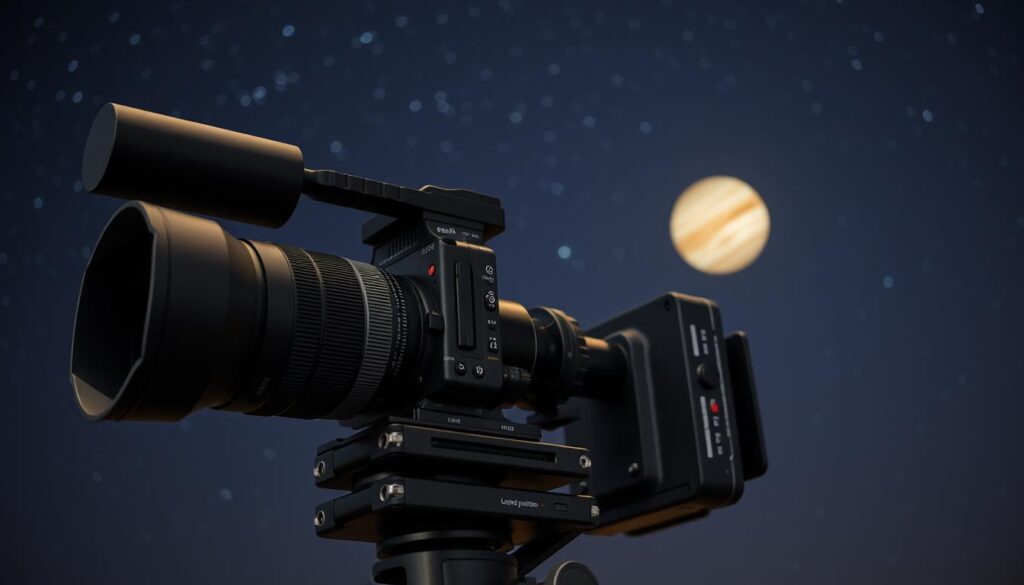
When picking a camera for Jupiter shots, think about sensor type, resolution, and telescope compatibility. The right camera can make your Jupiter photos amazing.
Accessories That Enhance Imaging
Adding the right accessories to your Jupiter imaging setup can really boost your photo quality. A good telescope and camera are key, but extra gear can refine your images and streamline the process.
Barlow Lenses: Magnification Benefits
A Barlow lens is great for planetary imaging. It boosts your telescope’s magnification without losing image quality. This means you can get clearer, more detailed shots of Jupiter.
For example, a 2x Barlow lens doubles your telescope’s magnification. This lets you see Jupiter’s cloud bands and the Great Red Spot in greater detail.
Tripods and Mounts: Stability Matters
A solid tripod and mount are vital for steady, smooth tracking of celestial objects. Any shake or movement can ruin your Jupiter shots. So, a strong mount is a must.
Choose a tripod and mount that can handle heavy loads and track smoothly. This keeps Jupiter right in your frame, even at high magnifications.
Guide Scopes for Precision
A guide scope is another must-have for astrophotography. It helps track celestial objects with precision by adjusting your mount’s position in real-time.
With a guide scope, Jupiter stays perfectly centered in your camera’s view. This allows for longer exposures and sharper images. It’s perfect for capturing Jupiter’s atmospheric details.
In summary, accessories like Barlow lenses, tripods and mounts, and guide scopes are crucial for better Jupiter imaging. Investing in these can greatly enhance your photo quality and make astrophotography more enjoyable.
Essential Settings for Capturing Jupiter
To get great photos of Jupiter, knowing the right settings is key. The right settings can greatly improve your photos. You’ll see Jupiter’s cloud bands and details clearly.
Imaging Jupiter involves several important settings. These include the right exposure, frame rate, and color balance. Let’s explore each to get the best images.
Optimal Exposure Settings
Getting Jupiter’s exposure right is crucial. The planet is very bright, so you need to adjust to avoid overexposure. A lower exposure setting can help capture the details in Jupiter’s cloud bands. Try different levels to find what works best for your camera.
- Start with a low exposure setting (around 1-2 ms) to avoid overexposure.
- Adjust the exposure based on Jupiter’s brightness and your camera’s sensitivity.
- Use your camera’s histogram to gauge the optimal exposure level.
Frame Rate Considerations
The frame rate is also key for Jupiter images. A higher frame rate means more frames per second. A frame rate of at least 30 FPS is recommended for planetary imaging. But, the best frame rate depends on your camera and the weather.
Importance of Color Balance
Color balance is crucial for Jupiter’s true colors. The planet’s atmosphere scatters light, affecting your images. Adjusting the color balance can help restore the natural colors of Jupiter. Use image processing software to enhance your images’ colors.
Mastering these settings can greatly improve your Jupiter photos. Try different settings and techniques to find what works best for you.
Techniques for Better Jupiter Imaging
To get better Jupiter photos, you need to learn some key techniques. Whether you’re new or experienced, the right methods can make a big difference. They can improve the quality of your photos.
Focusing Methods
Getting a sharp focus is key for Jupiter photos. You can use your camera’s live view to adjust focus yourself. Another tool is the Bahtinov mask, which helps focus by creating diffraction spikes.
Make sure your telescope is well-collimated too. Collimation aligns your telescope’s parts, which is crucial for a clear image.
Using Live View: Advantages
The live view on your camera lets you see your image as you take it. This makes it easier to tweak settings like focus and exposure. It’s super helpful for Jupiter photos, letting you fine-tune for the best shot.
Live view also cuts down on camera shake. By previewing your image, you can keep your camera steady. This ensures your photo is sharp.
Image Stacking Techniques
Image stacking combines multiple Jupiter photos into one. This method reduces noise and boosts your photo’s clarity.
To stack images well, use software like AutoStakkert or RegiStax. These tools align and merge your photos, making them sharper and more detailed.
When stacking, pick the sharpest frames. Skip blurry or distorted ones. This will help you get the best final image.
Software for Processing Jupiter Images
Processing Jupiter images needs the right software to improve your captures. The right tools can greatly enhance your final image’s quality.
Popular Image Processing Programs
Many software options are available for processing planetary images. Autostakkert is a favorite among astrophotographers. You can check out its features at https://www.autostakkert.com/. Adobe Photoshop and PixInsight are also great, offering advanced tools for your Jupiter images.
These programs let you tweak brightness, contrast, and color balance. This helps bring out the details in your images.
Benefits of Debayering
Debayering is key in processing raw images from your camera. It fills in color data from the Bayer filter to create a full-color image. This step greatly improves your Jupiter images by reducing noise and enhancing color accuracy.
Debayering makes Jupiter’s atmosphere look more detailed and vibrant.
Adding Finishing Touches
After processing, you can add final touches to your images. This includes sharpening the image, removing noise, and making color corrections.
With software like Autostakkert, you can stack images. This improves the signal-to-noise ratio, making your final image sharper and more detailed.
Sharing and Showcasing Your Jupiter Images
Now that your Jupiter images are ready, you can share them with other astronomers. This is a great way to connect with others who love space. You’ll also get feedback on your photos.
Best Platforms for Astronomy Photography
There are many places to show off your Jupiter photos. Here are some popular ones:
- Social media sites like Instagram and Facebook, where you can find astronomy groups.
- Astronomy forums and boards, like Cloudy Nights or Reddit’s r/Astronomy.
- Websites and galleries for astrophotography, such as 500px or Flickr.
Each place has its own special features. Instagram is good for quick posts and reaching many people. Forums offer deeper talks and feedback.
Creating an Online Portfolio
Building an online portfolio is a smart move. It lets you show off your best work. You can use:
- WordPress or Wix for a personal site.
- Behance or SmugMug for a professional portfolio.
Having a portfolio makes it easy for others to see your photos. It also helps you see how you’ve improved over time.
Engaging with the Astronomy Community
Getting involved with the astronomy community is very rewarding. You can:
- Take part in online contests to improve your skills.
- Share your knowledge and experiences with others.
- Go to local astronomy events to meet people.
By sharing your Jupiter photos and joining the community, you get your work seen. You also help grow the love for astronomy.
Troubleshooting Common Imaging Challenges
To get the best images of Jupiter, you need to solve common problems. Whether you’re new or experienced, knowing how to tackle these issues will improve your photos.
Issues with Focus and Clarity
Getting and keeping focus on Jupiter is a big challenge. Using the right camera settings and making sure your telescope is set up right helps a lot. Also, use live view on your camera to adjust focus in real time.
Choosing the right exposure is key. Shorter exposures can reduce the effect of the atmosphere, while longer ones might capture more detail but are riskier. Try different exposure settings to find what works best for you and the weather.
Managing Light Pollution
Light pollution is a big problem for astronomers. It can make your Jupiter images blurry. Using narrowband filters can help by blocking out unwanted light, making Jupiter’s features clearer.
Imaging Jupiter in a dark spot is best. If that’s not possible, use image processing software to lessen light pollution’s effect on your photos.
Handling Atmospheric Disturbances
Distortions from the atmosphere, like turbulence, can mess up your Jupiter images. Image stacking, combining multiple images, can smooth out these issues and make your image sharper.
Also, try to image when the atmosphere is calm. Use weather forecasts and astronomical seeing reports to plan the best times for your shots.
Conclusion: Best Practices for Imaging Jupiter
Imaging Jupiter needs the right gear, settings, and processing. Knowing the planet’s atmosphere and features helps capture stunning images. These images show Jupiter’s detailed beauty.
Key Takeaways
To get great Jupiter images, use the right telescopes, cameras, and filters. Adjust your camera settings for the best exposure, frame rate, and color. Techniques like image stacking and debayering can make your photos even better.
Experiment and Explore
As you get better at imaging Jupiter, try new gear and settings. Experiment with different processing methods to find what works for you. Join the astronomy community to learn from others and share your own stories.
Continuing Your Astronomy Journey
With time and effort, you’ll keep improving your Jupiter images. Keep up with new gear and techniques. Be ready to adjust to changes in the atmosphere. As you grow, your images will show more of Jupiter’s amazing atmosphere.