
Mastering star masking techniques in Photoshop can elevate your photography editing. Masks are powerful tools for selective editing and precise photo manipulation.
Using masks lets you add creativity and control to your images. You can make detailed adjustments to certain parts of your photo. This includes enhancing details and reducing noise.
Effective star masking greatly improves your photos’ quality. It’s a key skill for photographers aiming to enhance their post-processing work.
What is Star Masking in Post-Processing?
Star masking is a tool for digital image enhancement. It makes stars and other celestial bodies in photos stand out. This technique can make your images more detailed and interesting.
In creative photo editing, star masking isolates stars from the rest of the image. This lets you adjust brightness and contrast just for the stars. It’s very useful in astrophotography, where seeing the details of stars is key.
Definition of Star Masking
Star masking is a way to enhance stars in images after they’re taken. It creates a mask to focus on stars, making them clearer without changing the rest of the picture.
The steps are:
- Find the stars or objects you want to highlight
- Make a mask around them
- Adjust brightness, contrast, and color for the masked area
Importance in Astronomy Photography
In astronomy photos, star masking is vital for enhancing details of stars. It lets photographers show off subtle features that might be missed. This is key for capturing the Milky Way, star clusters, and other deep-space wonders.
It also cuts down on noise in star pictures, making them look better. With the right tools, you can create amazing images that show the universe’s beauty and complexity.
Why Use Star Masking Techniques?
Star masking is a key tool in post-processing that boosts the detail and clarity of your astronomical images. It makes your photos look better and more appealing.
Enhancing Detail in Images
Star masking highlights the fine details of celestial objects in your photos. It makes the stars pop out more against the background. This is great for photo retouching tips, giving you more control over your images.
For example, with Photoshop advanced editing, you can create a mask for the stars. This lets you tweak their brightness and contrast without messing up the rest of the image. Your night sky photos will look more detailed and stunning.
| Technique | Benefit | Application |
|---|---|---|
| Star Masking | Enhances detail and clarity | Astrophotography editing |
| Layer Masking | Allows for precise adjustments | Image retouching |
| Contrast Adjustment | Improves visual appeal | Image enhancement |
Reducing Noise in Starfields
Star masking also helps cut down on noise in starfields. By focusing on the stars, you can apply noise reduction more effectively. This makes your images cleaner and more professional.
To do this, use the star mask to apply noise reduction only to the stars. This keeps the rest of the image intact. Your stars will stay sharp and clear.
Tools for Star Masking
Choosing the right tool for star masking can really boost your astronomy photos. There are many software options out there. It’s key to know what each can do.
Software Options for Star Masking
Adobe Photoshop and Lightroom are top picks for star masking. They have advanced tools for tweaking images. This lets you control the masking process with great precision.
- Adobe Photoshop: It’s a go-to for pros because of its strong editing tools. Photoshop’s masking features are perfect for detailed star masking.
- Lightroom: It’s mainly for organizing photos and basic edits. But, Lightroom’s Graduated Filter and Adjustment Brush can also help with star masking.
- StarStax: This tool is made just for astrophotography. It’s great for stacking images and can help with masking.
For a deeper dive into using masks in photo editing, check out Cosgrove’s Cosmos. It shares tips on using masks effectively in post-processing.
Recommended Plugins for Photo Editing
There are also plugins that can improve your star masking. Look for ones with advanced masking tools and focus peaking features.
- Masking Plugins: These plugins are made just for masking. They offer better control and flexibility for star masking.
- Focus Peaking Plugins: These plugins are mainly for camera settings. But, they can also help in post-processing by showing sharp focus areas.
By using these tools and knowing their strengths, you can improve your star masking skills. This will make your astronomy photos even better.
Preparing Your Images for Star Masking
The success of star masking techniques depends on the quality of your data. To get the best results, your images must be of the highest quality. This means focusing on both the technical aspects of photography and enhancing your images through digital image enhancement techniques.
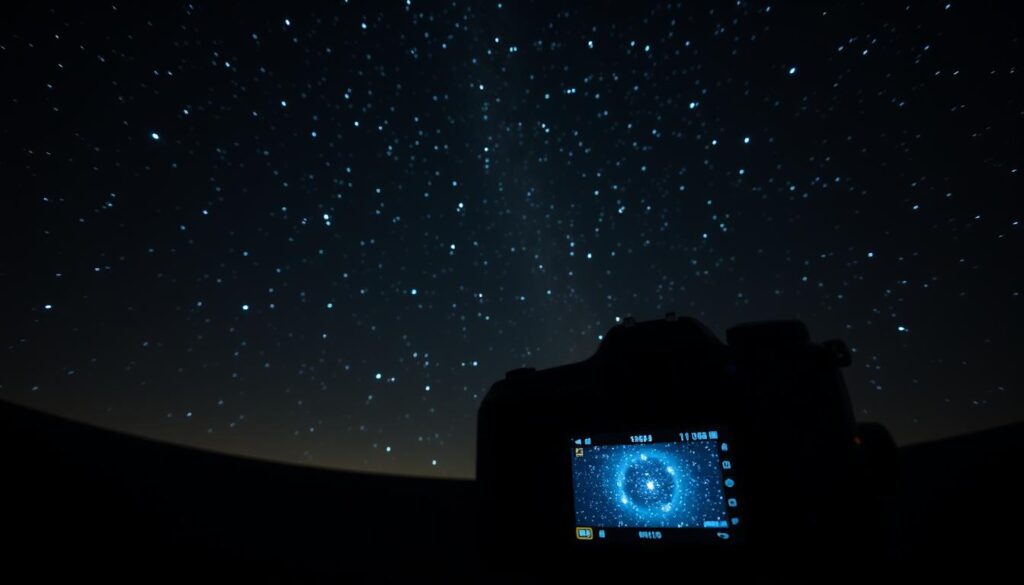
Steps to Capture the Best Data
Getting high-quality data is key to successful star masking. Use the right camera settings and techniques. For example, a low ISO and a tripod can reduce noise and camera shake, making your images sharper.
Also, taking multiple shots and stacking them can improve your image’s detail. Make sure your exposure time is right for capturing stars without overexposing the image. Bracketing your shots can help get the right exposure. Using a remote shutter release or timer can also reduce camera shake.
Importance of Calibration
Calibration is crucial in preparing your images for star masking. It involves adjusting your equipment and software for accurate and consistent data. This includes calibrating your camera’s white balance and focusing correctly.
It also means setting up your image processing software right. Calibration extends to post-processing, where you apply the right adjustments to your images. This might involve using creative photo editing to enhance details while keeping the natural look.
Techniques for Effective Star Masking
To improve your post-processing skills, learning star masking techniques is key. Good star masking can really bring out the details in your astronomy photos. It’s a vital step in editing your work.
Manual vs. Automated Star Masking
You can choose between manual and automated star masking. Manual star masking lets you control each star or area precisely. It’s great for complex images with many stars or different brightness levels.
Automated star masking tools can be faster, perfect for big datasets. They use algorithms to find and mask stars. But, you might need to tweak them for the best look.
Layer Masks in Adobe Photoshop
Adobe Photoshop has a great tool for star masking: layer masks. Layer masks let you edit your images without damaging them. This makes trying out different masking methods easier. To start, select the layer you want to mask, then go to “Layer” menu and choose “Layer Mask” > “Reveal All.”
Next, use the brush tool to paint over the stars. This creates a mask that focuses on the areas you want. Layer masks offer detailed control and flexibility, making them a must-have for editing.
To get even better results, mix layer masks with other adjustments like curves or levels. By mastering layer masks and other Photoshop advanced editing methods, you can enhance your star masking skills. This will help you achieve amazing results in your astronomy photography.
Common Challenges in Star Masking
When you start with star masking, you’ll hit some common hurdles. These obstacles can slow down your editing work. Knowing these challenges is key to improving your photography editing techniques and getting better results.
Dealing with Large Star Clusters
Big star clusters are a big challenge in star masking. It’s hard to pick out individual stars or make a good mask. To get past this, try using advanced digital image enhancement methods, like layer blending in Adobe Photoshop. This can help make your mask better and bring out more details in the cluster.
Begin with a wide mask that covers the big stars. Then, slowly add in the smaller ones. This method helps handle the complexity of dense star fields.
Managing Light Pollution
Light pollution is another big problem that can mess up your star masking. It can make stars look fuzzy or glow with unwanted light. To deal with this, use gradient filters or adjustment layers in your editing software to reduce its effects.
Also, shoot in RAW format and use calibration frames. This can help lessen light pollution’s impact. It makes your data better, which helps with star masking.
In summary, star masking has its challenges, but knowing them and using the right methods can really help. By improving how you handle big star clusters and light pollution, you can get clearer and more beautiful images.
Tips for Improving Your Star Masking Skills
To get better at star masking, you need to practice and learn from experts. It’s important to understand how to work with different images and learn from those who know a lot about it.
Practice with Different Data Sets
Practicing with different images is a great way to improve. Try using images taken in different conditions, like with more or less light pollution. Trying out different images helps you learn how to adjust your techniques for the best results.
Start with images that are easy, like those with little light pollution. Then, try harder ones, like those with a lot of light pollution or complex star clusters. This way, you’ll get better at handling all kinds of images.
Learning from the Pros
Learning from experts can really help you get better. There are many resources out there, like online tutorials, workshops, and photography groups. Using these resources can teach you new things and help you get feedback on your work.
Check out online forums for astronomy photography for guides and discussions. Also, going to workshops or webinars can give you valuable insights and a chance to practice.
| Resource Type | Description | Benefits |
|---|---|---|
| Online Tutorials | Detailed step-by-step guides on star masking techniques | Self-paced learning, accessible anytime |
| Workshops | Hands-on practice with guidance from experienced photographers | Direct feedback, networking opportunities |
| Photography Communities | Forums and groups where you can share your work and learn from others | Feedback, staying updated with the latest techniques |
By practicing with different images and learning from experts, you can really improve your star masking skills. Remember, it takes patience and persistence. Keep practicing and learning, and you’ll get better at making your astronomy photos look amazing.
Advanced Star Masking Techniques
To improve your star masking, you need to learn advanced techniques. These methods can make your astrophotography images look better by giving you more control over the masking.
Using blend modes is a key advanced technique. Blend modes let you mix layers in various ways. This can help brighten stars without making the whole image too bright.
Using Blend Modes for Results
Understanding how blend modes work with your star mask is crucial. Try different modes to see what works best for you. For example, ‘Overlay’ mode can make stars stand out while keeping the background clear.
Combining Star Masks with Other Adjustments
Adding other adjustments to your star masks can make your images even better. Adjusting contrast and brightness can balance your image. Also, using layer masks in software like Adobe Photoshop can give you more control over your mask.
By learning these advanced techniques, you can make your astrophotography images look amazing. They will be more detailed and visually appealing.
Case Studies of Successful Star Masking
Star masking is a key tool in digital image enhancement. It lets you do creative photo editing that boosts your astrophotography images. By using star masking, you can make your images clearer and cut down on noise in starfields.
Now, let’s look at some case studies that show how well star masking works.
Before and After Examples
Many astrophotographers have used star masking to make their photos better. Here are some before and after examples:
- A Milky Way photo with less noise in the starfield after star masking.
- An image of a distant galaxy with more detail in the galaxy’s core after star masking.
- A star cluster photo with better contrast between the stars and the background after star masking.
These examples show how star masking can enhance your images in digital image enhancement and creative photo editing.
Lessons Learned from Real-World Applications
From these case studies, we can learn a few important lessons:
- The value of patience and practice in mastering star masking.
- The need to calibrate your equipment well to get the best data for star masking.
- The benefits of mixing star masking with other editing techniques for the best results.
By using these lessons, you can get better at star masking and improve your astrophotography images.
Final Thoughts on Star Masking
Now that you’ve learned about star masking in post-processing, you’re ready to improve your astronomy photos. Using these editing techniques can make your images look much better.
Advancements in Star Masking
The future of star masking looks bright, with new software and methods coming out all the time. Keeping up with the latest tutorials will help you get even better at it.
Experimenting with Techniques
Don’t hesitate to try out different star masking methods on your photos. Remember, practice and patience are crucial. Mixing star masking with other editing techniques can lead to amazing results that highlight the night sky’s beauty.