
Capturing the beauty of nebulae is more than just using a good telescope. It also needs effective image editing techniques. Vaonis says editing telescope images with a smartphone can make them look better. With the right tools and techniques, your nebulae photos can become stunning works of art.
This guide will show you how to sharpen and enhance details in your nebulae images. Whether you’re new to astrophotography or have lots of experience, you’ll find useful tips here. These will help you improve your skills and create top-notch images.
Understanding Nebulae: A Guide for Photographers
For photographers, knowing about nebulae is key to better nebula photos. Nebulae are huge, space clouds made of gas and dust. To capture their beauty, you need to understand what they are.
What is a Nebula?
A nebula is a massive cloud of dust and gas in space. They are called “star nurseries” because new stars are born here. The gas and dust in a nebula can collapse, forming new stars.
Nebulae are not just visually stunning; they help us understand stars and our universe. By taking pictures of nebulae, photographers help us appreciate and learn about these celestial wonders.
Types of Nebulae You Can Capture
There are many types of nebulae for photographers to capture. Each has its own special features. The main types are:
- Emission Nebulae: These glow because of hot stars that ionize the gas.
- Reflection Nebulae: These reflect light from nearby stars.
- Dark Nebulae: These are dense clouds that block light from stars behind them.
The Importance of Detail in Your Images
Getting detail right in your nebula photos is key for quality. Techniques like nebula photo sharpening can make your images clearer. Using the right equipment, like telescopes and high-resolution cameras, is also crucial.
| Type of Nebula | Characteristics | Photography Tips |
|---|---|---|
| Emission Nebula | Emits light, often red due to hydrogen | Use narrowband filters to capture specific wavelengths |
| Reflection Nebula | Reflects light from nearby stars, often blue | Enhance color balance to bring out the blue reflection |
| Dark Nebula | Blocks light from background stars | Use long exposures to capture the contrast between the dark nebula and surrounding stars |
By knowing about different nebulae and using techniques to improve detail, you can improve nebula clarity and create amazing photos.
Essential Equipment for Capturing Nebulae
For photographers aiming to sharpen their nebula photographs, the right gear is key. Capturing the intricate details of nebulae requires careful equipment selection. This includes cameras and filters.
Cameras: Choosing the Right Model
The camera is the heart of your astrophotography setup. When capturing nebulae, you have two main options: DSLR cameras and dedicated astronomy cameras. DSLR cameras are common and let you use many lenses. But, dedicated astronomy cameras, like those from ZWO or QHY, are made for the night sky. They often cool better and are more sensitive.
When picking a camera, look at sensor size, pixel depth, and long-exposure shot ability. For more on starting deep-sky astrophotography, check out AstroBackyard for a detailed guide.
Lenses: Wide vs. Telephoto
The lens choice depends on the nebula type. Wide-angle lenses are great for big nebulae. Telephoto lenses work best for small, far-off nebulae. Think about focal length and aperture to capture more detail.
- Wide-angle lenses (between 10-24mm) for broader coverage
- Telephoto lenses (above 200mm) for closer, more detailed shots
Filters: Enhancing Color and Contrast
Astronomical filters are key for better nebulae images. LRGB broadband filters capture the full color spectrum. SHO narrowband filters (Sulfur, Hydrogen-alpha, and Oxygen) highlight specific wavelengths, showing nebula details.
Using the right filters can greatly improve nebula detail. Narrowband filters, for example, can cut down light pollution. This makes images sharper, even in poor conditions.
Techniques for Sharpening Your Images
Whether you’re new to astrophotography or experienced, sharpening your images is key. It makes your nebulae photos stand out. Sharpening brings out the details and boosts the photo’s quality.
Focus Techniques for Nebulae Photography
Getting a sharp focus is essential for great nebulae photos. Here are some focus techniques to try:
- Live View Focusing: Zoom in on a bright star in live view. Adjust the focus until it’s sharp.
- Focus Assist Tools: Use tools like focus peaking or magnification for precise focus.
- Manual Focusing: Switch to manual mode. Use the LCD screen to fine-tune your focus.
Use of Tripods for Steady Shots
A sturdy tripod is crucial for sharp images. It helps avoid camera shake during long exposures. Here’s how to use a tripod well:
- Choose a Sturdy Tripod: Pick a tripod that can handle your camera and lens.
- Use a Remote Shutter Release or Timer: Prevent camera shake with a remote or timer.
- Balance Your Tripod: Ensure your tripod is balanced and stable for steady shots.
Post-Processing Basics: Software and Tools
Post-processing can greatly enhance your nebulae images. Here are some essential tools:
- Adobe Lightroom: Ideal for initial adjustments like exposure and contrast.
- Adobe Photoshop: Offers advanced sharpening and detailing tools.
- Astrophotography Software: Tools like StarStax or PixInsight help with stacking and noise reduction.
By focusing well, using a tripod, and post-processing, you can greatly improve your nebulae photos.
Enhancing Detail Through Post-Processing
Improving your nebula photos needs careful post-processing. This step is key to show the fine details and colors of nebulae. These are often hidden in the raw images.
Using Adobe Lightroom for Detail Enhancement
Adobe Lightroom is great for enhancing nebula photos. It has many adjustments to boost your image’s clarity and detail. Use the Detail panel for sharpening and noise reduction. The Transform tool helps fix any perspective issues.
Lightroom’s non-destructive editing is a big plus. It lets you try different settings without changing the original. You can also use the Graduated Filter and Adjustment Brush for precise adjustments.
| Tool/Feature | Description | Benefit for Nebula Images |
|---|---|---|
| Detail Panel | Adjusts sharpening and noise reduction | Enhances clarity and reduces grain |
| Transform Tool | Corrects perspective distortions | Ensures accurate representation of nebula shapes |
| Graduated Filter | Applies adjustments to specific areas | Allows for nuanced enhancements |
Photoshop Techniques for Sharpening
Adobe Photoshop has advanced tools for sharpening nebula images. The Unsharp Mask and Smart Sharpen filters are great for details. You can also layer different exposures or techniques.
Photoshop’s Masking lets you sharpen specific areas precisely. This is perfect for nebulae, where different parts need different treatments.
Utilizing Astrophotography Software
Specialized software like StarStax or PixInsight is designed for astronomers. They help with image stacking, noise reduction, and color calibration. These are key for high-quality nebula images.
Image stacking boosts the signal-to-noise ratio, revealing hidden details. PixInsight has advanced algorithms for deconvolution and more.
Using these tools and techniques can greatly enhance your nebula images. It brings out the intricate beauty of these celestial wonders.
Capturing Color in Nebulae Photography
Nebulae photography is more than just taking pictures. It’s about showing the true colors of these cosmic wonders. To do this, you need to know how to enhance colors in your photos.
To capture the vibrant colors of nebulae, you need the right tools and techniques. Light pollution filters are key. They help reduce artificial light, letting the nebulae’s true colors show.
The Role of Light Pollution Filters
Light pollution filters block certain wavelengths of light from streetlights and other sources. This reduces light pollution in your photos. Using these filters can enhance contrast and color in your nebulae shots.
| Filter Type | Purpose | Effect on Nebulae Images |
|---|---|---|
| Light Pollution Filter | Reduces artificial light | Enhances color and contrast |
| Narrowband Filter | Captures specific wavelengths | Highlights specific features |
| Color Enhancement Filter | Boosts color saturation | Vibrant colors |
Color Calibration and Correction Techniques
Color calibration is crucial for accurate colors in your photos. Tools like Adobe Lightroom and Photoshop offer color correction features. They help ensure your images are true to life.
To calibrate your images, use a color target or follow a calibration process in your software. This ensures your captured colors are accurate, improving your nebulae photos.
Layering Images for Better Color Depth
Layering images can greatly enhance color depth in your nebulae photos. By combining multiple exposures, you can create a single image with richer colors and more detail. This is great for showing the intricate details of nebulae.
To layer images well, use software like Adobe Photoshop that supports layer blending modes. Adjusting opacity and blending modes can create a more detailed and nuanced image of the nebulae.
Importance of Exposure Settings for Detail
Getting the right exposure settings is key to enhancing details in nebulae photos. It’s all about capturing the intricate details of these cosmic wonders. Knowing how to adjust exposure settings is crucial for high-quality images.
There are three main parts to consider when setting exposure: ISO, shutter speed, and aperture. Each plays a big role in bringing out the beauty and detail of nebulae.
ISO Settings: Finding the Sweet Spot
ISO settings control how sensitive your camera is to light. Lower ISOs mean less sensitivity, while higher ISOs mean more. Finding the right ISO balance is essential for nebulae photography.
Low ISO settings (e.g., ISO 800 or lower) help reduce noise and capture finer details. But, they might need longer exposure times. On the other hand, high ISO settings (e.g., ISO 1600 or higher) let you capture more light quickly but can introduce noise.
| ISO Setting | Pros | Cons |
|---|---|---|
| Low ISO (≤800) | Less noise, finer details | Longer exposure times |
| High ISO (≥1600) | Shorter exposure times | More noise, potential loss of detail |
Shutter Speed: Balancing Light and Detail
Shutter speed controls how long the camera’s shutter is open. It affects how much light gets in. For nebulae, finding the right balance is crucial.
Longer shutter speeds let in more light and detail but can cause star trailing or overexposure. Shorter shutter speeds reduce these risks but might not capture enough detail.
Aperture Settings: Depth of Field Considerations
Aperture settings control the depth of field. A wider aperture lets in more light and creates a shallower depth of field. A narrower aperture keeps more of the image in focus.
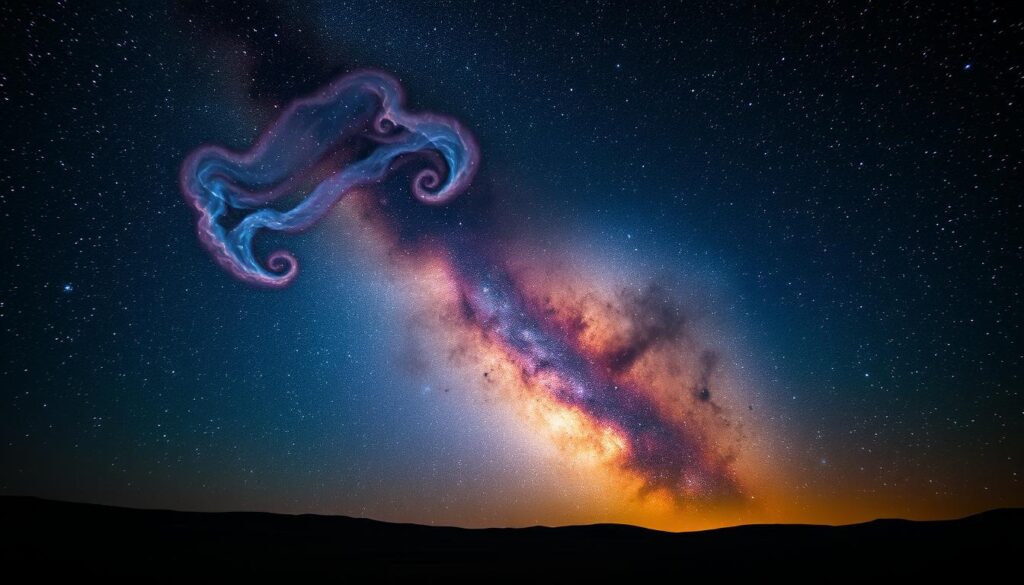
By adjusting ISO, shutter speed, and aperture, you can greatly improve your nebulae photos. Experimenting with different settings will help you find the best for your equipment and the nebula you’re capturing.
Advanced Techniques for Detail Enhancement
To improve your nebulae photography, learn advanced techniques. These methods will make your images clearer and more engaging.
One big challenge is dealing with noise and low contrast. Noise reduction methods are key to clear images. Use Adobe Lightroom or Photoshop to reduce noise. These tools help keep details sharp while reducing noise.
Noise Reduction Methods
Noise reduction is vital in post-processing. It uses algorithms to smooth out noise. There are two main types: luminance and color noise reduction.
- Luminance noise reduction: This smooths out brightness variations.
- Color noise reduction: This targets color variations, making images look natural.
Stacking Images for Clarity
Stacking images is another advanced technique. It combines multiple images of the same nebula. This enhances detail and reduces noise. Use software like StarStax or AutoStakkert for this.
Aligning and combining images is the process. It’s great for capturing faint details in nebulae.
Contrast Adjustment for More Depth
Contrast adjustment adds depth to your images. Adjusting contrast makes details pop. Use Adobe Photoshop to adjust contrast with curves and levels.
| Technique | Description | Software |
|---|---|---|
| Noise Reduction | Reduces noise in images | Adobe Lightroom, Photoshop |
| Image Stacking | Combines multiple images for clarity | StarStax, AutoStakkert |
| Contrast Adjustment | Enhances contrast for more depth | Adobe Photoshop |
Mastering these techniques can greatly enhance your nebulae photography. Whether it’s noise reduction, image stacking, or contrast adjustment, each method improves image quality.
Creating a Workflow for Nebulae Photography
A good workflow is key to great nebulae photos. It helps you improve your images by following a few steps. These include planning your shoot, organizing your files, and efficient editing.
Planning Your Night Sky Shoot
Planning is crucial for top-notch nebula shots. Find a spot with little light pollution and check the weather. Use apps for the best shooting times.
Make sure your camera and tripod are ready. A pre-shoot checklist keeps you organized.
Organizing Your Files for Easy Access
Organizing your files is vital for editing. Use a clear folder structure and name your files well. This saves time.
Backup your photos in different places. This protects your work from loss.
Efficient Post-Processing Routines
Good editing is essential for your photos. Start with Adobe Lightroom for basic edits. Then, use Photoshop for finer details.
Having a routine helps your photos look consistent. Keep track of your edits for future use.
Sharing Your Work Effectively
Astrophotography is more than just taking pictures. It’s about sharing your work with others. This way, you get recognition and help a community that loves to share and inspire.
Best Platforms for Displaying Your Nebulae
Picking the right place to show your nebulae photos is key. Sites like Instagram and Facebook are great for a wide audience. Also, check out 500px or Astrophotography Forum for fans who love the detail in your photos.
Use hashtags like #astrophotography and #nebulae to get more views. You can also make a portfolio on your website or Behance to share your best shots and tell your story.
Engaging with the Astrophotography Community
Being part of the astrophotography community means more than just posting your photos. It’s about liking and commenting on others’ work too. Join groups, go to workshops, and enter contests to learn new things, like advanced nebula editing techniques.
Being active lets you get feedback, learn, and stay inspired. Reddit’s r/Astrophotography is a good place to share and get helpful comments.
Tips for Giving and Receiving Feedback
Feedback is an art. When you give feedback, be specific and helpful. For example, say “The nebula detailing techniques in this image really highlight the colors of the nebula.”
When you get feedback, be open to it. It’s a chance to learn and grow. Not everyone will agree, but good feedback can make you better.
By sharing your work and being part of the community, you improve your skills. You also add to the lively world of astrophotography.
Common Mistakes and How to Avoid Them
To improve your nebulae photography, it’s key to know and dodge common mistakes. Nebulae photography is both challenging and rewarding. Knowing the pitfalls can greatly improve your work.
Overexposing vs. Underexposing Your Images
Getting the right exposure is crucial for stunning nebulae images. Overexposing can ruin details in bright spots. On the other hand, underexposing can make shadows noisy and dark.
- Overexposing can cause the loss of intricate details in the nebula’s brighter regions.
- Underexposing may lead to an image that is too dark, with details obscured by noise.
To sidestep these problems, finding the best exposure settings is vital. Bracketing your shots can also help get the right exposure.
Avoiding Over-Editing
Post-processing is key to enhancing your nebulae images. But, over-editing can make images look unnatural and lose their authenticity.
| Editing Technique | Potential Pitfall | Best Practice |
|---|---|---|
| Over-sharpening | Introduces unwanted noise | Apply sharpening subtly and selectively |
| Excessive contrast adjustment | Loss of detail in shadows or highlights | Adjust contrast to enhance detail without losing information |
Misunderstanding Nebulae Characteristics
It’s crucial to understand the nebula you’re photographing. Each nebula has its own colors and structures.
Researching the nebula you’re targeting helps you capture its unique traits. This knowledge also guides your equipment and editing choices.
Conclusion: Mastering Nebulae Photography
As you keep working on capturing nebulae’s beauty, remember it’s a journey. Sharpening and enhancing detail in nebulae takes patience and practice. It also requires a willingness to learn and adapt.
Pursuing Excellence
It’s important to try new techniques and keep up with the latest tools and software. You can improve by learning advanced nebula detailing techniques. For example, using Adobe Lightroom and Photoshop for post-processing.
Resources for Growth
To get better, check out online forums, workshops, and tutorials. Joining the astrophotography community and learning from experts can give you great insights and inspiration.
Keep learning and growing, and you’ll soon be capturing stunning nebulae images. These images will show off the intricate details of these celestial wonders.